Flickering Lights? Know When to DIY or Call an Electrician
There's nothing quite as unsettling as lights that refuse to stay consistently bright. Whether it's a subtle shimmer or a dramatic strobe effect, flickering lights can be more than just an annoyance—they can signal underlying electrical issues that range from minor inconveniences to serious safety hazards. Understanding how to fix flickering lights in your home often boils down to a key question: Is this something I can tackle myself, or is it time to bring in a qualified electrician?
This comprehensive guide will help you diagnose the most common causes of flickering lights, walk you through practical do-it-yourself solutions, and, crucially, identify the red flags that warrant immediate professional attention. We’ll delve into the nuances of various culprits, from simple bulb issues to complex wiring problems, empowering you to make informed decisions about your home's electrical health.
Common DIY Solutions for Flickering Lights
Before you reach for the phone, many instances of flickering lights can be resolved with some basic troubleshooting and a few simple tools. Here’s a look at common issues you can often fix yourself:
1. The Loose Light Bulb
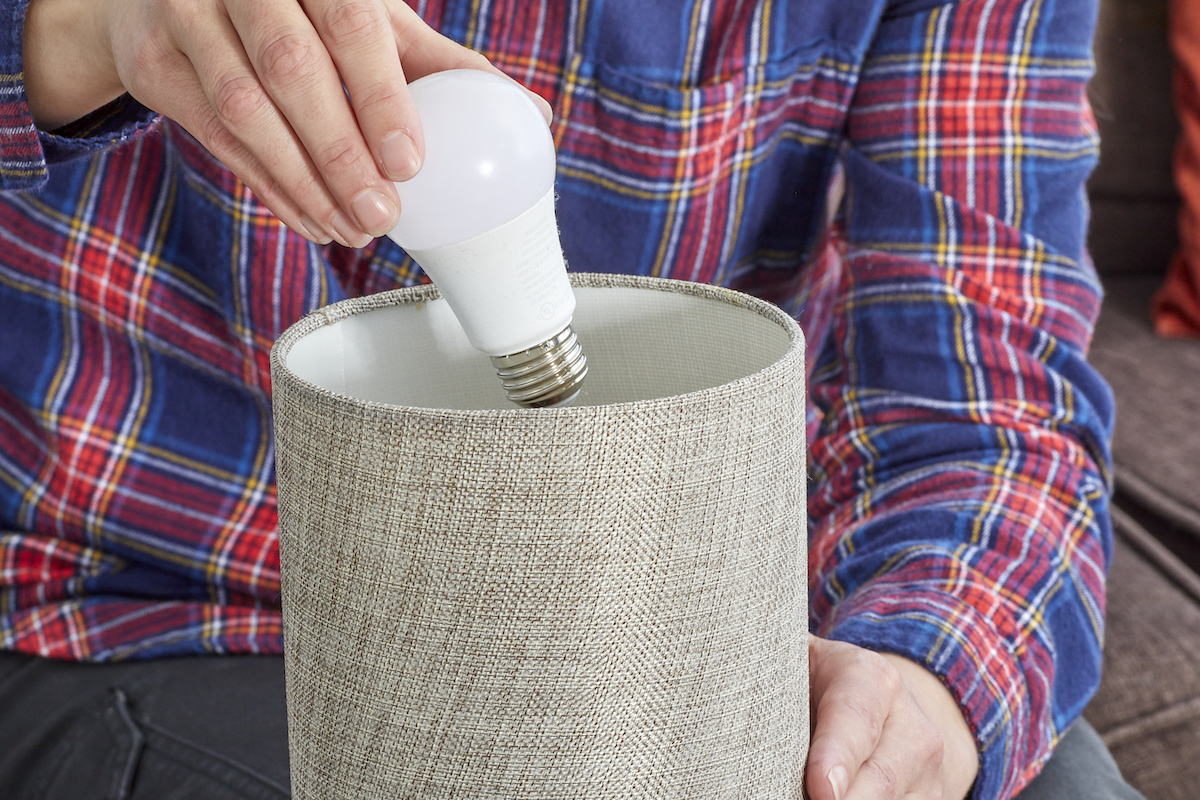
Sometimes, the simplest explanation is the right one. A light bulb that isn't screwed in tightly can create an intermittent connection, causing it to flicker. This is often the first thing to check when wondering how to fix flickering lights in a single fixture.
- The Fix:
- Safety First: Turn off the light switch.
- Cool Down: Allow the bulb to cool completely if it has been on recently to avoid burns.
- Tighten Gently: Gently but firmly tighten the bulb clockwise in its socket until snug. Do not overtighten, as this can damage the socket or the bulb.
- Expert Insight: If tightening doesn't work, unscrew the bulb completely and inspect the metal tab at the bottom of the socket. If it's flattened, carefully (with power OFF at the breaker) pry it up slightly to ensure better contact with the bulb's base.
2. The Faulty Light Bulb
Light bulbs, like all electronics, have a lifespan. An aging or defective bulb can cause inconsistent illumination before it eventually burns out completely.
- The Fix:
- Safety First: Turn off the light switch.
- Remove & Replace: Unscrew the existing bulb.
- Insert New: Install a new bulb of the same wattage and type (e.g., LED for LED, incandescent for incandescent) to ensure compatibility.
- Test: Turn the light back on. If the flickering stops, you've found your culprit.
- Expert Insight: Keep a few spare bulbs on hand. If the new bulb also flickers, the problem isn't the bulb itself, but likely the fixture or wiring.
3. Corroded Light Socket
Moisture, humidity, or simply age can lead to corrosion on the metal contacts within a light socket. This corrosion creates resistance, impeding the flow of electricity and causing flickering.
- The Fix:
- Crucial Safety Step: Go to your electrical panel and turn off the power to the specific light fixture's circuit breaker. This is paramount for your safety.
- Remove Bulb: Unscrew the light bulb.
- Inspect & Clean: Carefully inspect the socket's screw base and the small metal tab at the bottom for signs of rust, green buildup, or discoloration. Use a dry, non-abrasive cloth, a small brush, or even a pencil eraser to gently clean away any corrosion. Avoid using water or liquid cleaners.
- Replace if Damaged: If the socket appears heavily corroded, cracked, or melted, it's best to replace the entire socket. This is a task for which some homeowners might prefer professional help.
- Restore & Test: Reinstall the bulb, restore power at the circuit breaker, and test.
- Expert Insight: For outdoor fixtures prone to moisture, consider applying a thin layer of dielectric grease to the bulb's base (after cleaning the socket) to help prevent future corrosion and improve contact.
4. Failing Light Switch
Over time, the internal components and connections within a light switch can wear out or become loose. This degradation can lead to inconsistent power delivery to the fixture, manifesting as flickering.
- The Fix:
- Absolute Safety: Turn off the power to the switch at the main circuit breaker. Use a non-contact voltage tester to confirm no power is present at the switch.
- Access the Switch: Remove the switch plate and unscrew the switch from the electrical box.
- Inspect & Replace: Carefully disconnect the wires, noting exactly which wire goes to which terminal (taking a photo can be helpful). Look for signs of burnt wires or loose connections. Connect the wires to a new, identical switch in the same configuration.
- Reinstall: Screw the new switch into place, replace the switch plate, and restore power at the breaker.
- Test: Turn the light on to confirm the flickering has stopped.
- Expert Insight: A failing switch often feels "spongy" or less crisp when toggled compared to a new, properly functioning one. If you're uncomfortable working with electrical wiring, replacing a switch is a job best left to a qualified electrician.
LED Lights and Their Unique Flickering Challenges
As more homes embrace energy-efficient LED lighting, some homeowners encounter flickering issues specific to this technology. Understanding these can guide your troubleshooting process on how to fix flickering lights that are LED-based.
- Incompatible Dimmer Switches: Many older dimmer switches are designed for incandescent bulbs (resistive loads) and are not compatible with the lower wattage and different electrical requirements of LEDs. This mismatch can cause flickering, humming, or even prevent the lights from turning on or off properly.
- The Fix: Replace the old dimmer switch with one specifically rated as "LED compatible" or "universal" for dimmable LED bulbs.
- Low-Quality LED Bulbs: Not all LED bulbs are created equal. Cheaper bulbs may have inferior drivers (the electronic component that regulates power) which can lead to flickering, especially under fluctuating voltage.
- The Fix: Invest in higher-quality LED bulbs from reputable brands.
- Loose Connections in Fixture: Just like incandescent bulbs, loose wiring within an LED fixture can cause intermittent contact and flickering.
- The Fix: With power off at the breaker, inspect all wire connections within the fixture. Tighten any loose terminal screws or wire nuts.
- Circuit Overload: While less common with LEDs due to their low power consumption, an overloaded circuit can still cause issues if other high-demand appliances are on the same line.
- The Fix: Check which appliances are on the same circuit and try moving some to different outlets/circuits if possible.
When to Step Back and Call a Professional Electrician
While many flickering light problems can be DIY fixes, certain scenarios demand the expertise of a licensed electrician. Ignoring these warning signs can pose significant safety risks.
- Whole-House or Multiple-Circuit Flickering: If lights are flickering throughout your entire home, or across multiple circuits simultaneously, this points to a larger problem than a single loose bulb. Potential causes include:
- Utility Service Issues: Problems with the electrical grid, transformer, or the service line coming into your house.
- Loose Main Service Connections: Faulty connections at your meter base or main service panel.
- Overloaded Main Panel: Your electrical panel might be struggling to meet your home's power demands.
- Flickering Accompanied by Dimming: If lights dim or brighten in unison with the operation of a large appliance (like an air conditioner, refrigerator, or microwave), it could indicate an overloaded circuit, undersized wiring, or a voltage drop issue.
- Burning Smells or Hot Outlets/Switches: Any burning odor, discoloration, or warmth/heat emanating from outlets, switches, or your electrical panel is a serious warning sign of overheating wiring or components. Turn off power immediately and call an electrician.
- Frequent Breaker Trips: While an occasional tripped breaker is normal, frequent trips, especially when no new appliances have been added, suggest an underlying issue like a short circuit, ground fault, or persistent overload.
- Old or Outdated Wiring: Homes with old knob-and-tube wiring, aluminum wiring, or insufficient grounding can experience chronic flickering and other electrical problems that require professional upgrades for safety.
- Uncertainty or Discomfort: If you've tried the basic DIY fixes and the problem persists, or if you feel uncomfortable or unsure about any electrical work, it's always best to err on the side of caution and contact a professional. An electrician can safely diagnose complex issues and ensure your home's electrical system is up to code and safe. For more in-depth troubleshooting, refer to our How to Fix Flickering Lights: Your Home Troubleshooting Guide.
Essential Troubleshooting Questions and Safety Guidelines
Before you begin any troubleshooting, asking yourself a few key questions can help narrow down the potential cause:
- Is it only one light flickering, or multiple lights?
- One light: Likely a localized issue (bulb, socket, switch, fixture wiring).
- Multiple lights on one circuit: Points to an issue with that specific circuit (breaker, wiring to the circuit).
- Multiple lights on different circuits, or the whole house: Suggests a main service issue, utility problem, or significant electrical panel concern.
- Does the flickering happen randomly, or when specific appliances turn on?
- Random: Could be loose connections, faulty bulb/switch, or intermittent external factors.
- When appliances turn on: Points to voltage drop, overloaded circuits, or issues with the main power supply.
- Are the lights actually flickering, or are they dimming/brightening?
- Dimming/brightening: Often related to voltage fluctuations or heavy load changes, requiring professional assessment.
- Is the problem seasonal or weather-dependent?
- This could indicate external utility issues or problems with outdoor wiring susceptible to environmental factors.
Crucial Safety Guidelines:
- Always Turn Off Power: Before attempting any work beyond simply tightening a bulb, locate and turn off the corresponding circuit breaker at your electrical panel.
- Use a Voltage Tester: Invest in a non-contact voltage tester to confirm that power is truly off before touching any wires.
- Never Work on Wet Surfaces: Always ensure your work area is dry.
- Don't Overload Circuits: Be mindful of how many high-wattage appliances you have plugged into one circuit.
- When in Doubt, Call a Pro: Electrical work can be dangerous. If you are ever unsure or uncomfortable, contact a licensed electrician.
Conclusion
Flickering lights don't always demand an immediate emergency call, but they should never be ignored. By methodically troubleshooting common issues like loose bulbs, faulty components, or even incompatible LED dimmers, you can often pinpoint and resolve the problem yourself. However, recognize the critical distinction between simple DIY fixes and complex electrical hazards. When flickering escalates to affect multiple circuits, accompanies strange smells, or causes frequent breaker trips, your safest and wisest course of action is to consult a professional electrician. Prioritizing safety and knowing when to call in the experts ensures your home remains brightly lit and secure for years to come.